Developer tools
FrameKit
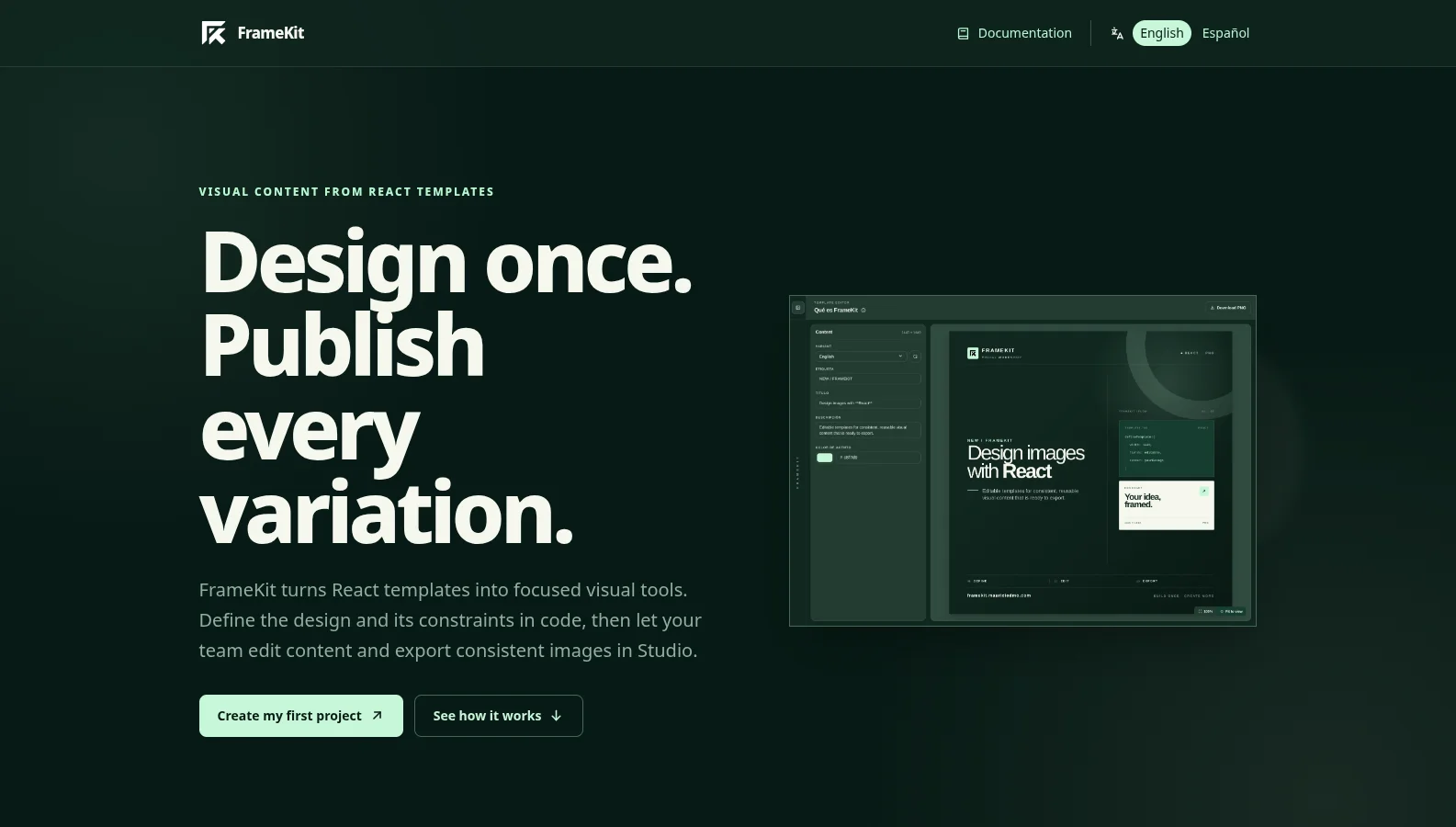
A visual system defined in code, with content edited separately and PNG output available on demand.
In Development · Open source
Tools
- Next.js
- React
- TypeScript
- Node.js
- pnpm
- Playwright





A visual system that stays consistent
Project impact
- Layout, typography, colors and dimensions live in code
- Content editors work with fields and variants without changing the template
- PNG export is available in Studio and through a server API
- Bilingual documentation for English and Spanish users
Repeating the same design by hand does not scale
The problem
Campaigns, catalogs and previews often need many images that must look like they came from the same template. Editing each variation by hand is slow and drifts away from the original design. Generating every image from a prompt has the same risk: the visual language gets reinterpreted each time.
React templates with an editing layer
The solution
FrameKit defines a template as a React component with a contract: dimensions, fields, variants and assets. The same component is rendered in Studio and by the image API. Developers own the visual system; content teams change copy, colors and assets through the editor and export the result as a PNG.
What the workflow includes
Features
- Template definitions with typed fields and validation
- Content variants and reusable assets
- Studio to browse templates, edit fields and preview the canvas
- Brand components as reusable visual building blocks
- Server-side PNG rendering through an HTTP API
- Optional authentication, disabled by default
- Bilingual English and Spanish documentation
Built on the Node and React ecosystem
Technical decisions
- Targets Node.js 22.13+, React 19 and Next.js 16
- Published as
@mauriciodmo/framekitand@mauriciodmo/create-framekiton npm - The creator scaffolds a ready-to-run Next.js application
- Authentication is opt-in through
FRAMEKIT_AUTH_ENABLED - Licensed under Apache 2.0, currently in beta
A library for creating images and working with agents
My role
I built FrameKit as an application distributed as a library for creating images from React templates. Alongside the implementation, I prepared the documentation and public skills so communication and development with AI agents are clearer: an agent can understand what the project does and contribute changes that fit its design.
npm libraries and open-source documentation
Takeaway
The main learning was creating and maintaining libraries published on npmjs.com: defining a usable API, versioning packages and shipping documentation others can follow. Publishing was not the end of the work: maintaining a library means protecting compatibility, responding to the people using it and deciding what goes into each release. Documenting an open-source project proved as important as implementing it, since it is what lets other people and agents understand and develop the project. Clear documentation with examples and references acts as the project’s interface: it reduces reliance on informal context and makes the knowledge reusable by both people and automated tools.